
USD




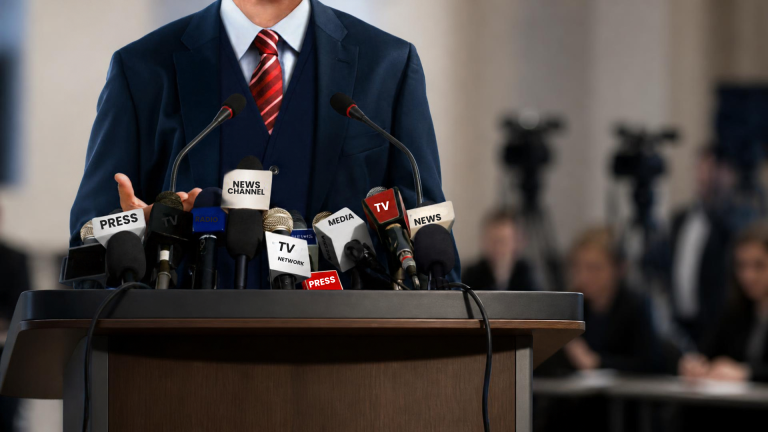
When an organization has something important to announce, the setting matters almost as much as the message.
A press conference may involve company executives, government officials, university leaders, athletes, coaches, public figures, or event organizers. Cameras are rolling, microphones are everywhere, and the speaker may be addressing both a room full of journalists and an audience watching online.
In that environment, the podium or lectern becomes more than a place to stand.
A well-designed press conference podium setup gives the speaker a professional focal point, keeps microphones and presentation materials organized, and creates a consistent visual backdrop for photographs and video. As fall brings the return of conferences, corporate events, university programming, and public announcements, it is a useful time for organizations and venues to review their presentation setup.
A press conference is designed around communication. The speaker needs to be heard clearly, the audience needs to see them, and cameras need an unobstructed view.
The podium sits at the centre of all three.
Unlike a temporary table or improvised stand, a purpose-built lectern can provide an integrated location for microphones, notes, lighting, laptops, and branding. It also establishes a consistent position for the speaker, which can make the stage easier to frame for photographers and video crews.
Podium Pros designs lecterns for corporate environments, event venues, government facilities, universities, and other professional presentation spaces. Its product range includes wood, acrylic, aluminum, accessible, and digital lecterns.
Not every press conference needs the same podium.
A corporate announcement might take place in a conference room with one executive addressing reporters. A university could host a larger announcement involving several speakers. A sports organization may need a setup that can be moved between media days, post-game press conferences, and other events.
The first question should therefore be: How will the lectern actually be used?
If the speaker will remain in one position and primarily answer questions, a wood or acrylic lectern with an appropriate microphone setup may be sufficient. If presentations, videos, or other visual content are part of the event, a digital or AV-integrated lectern may offer additional functionality.
Podium Pros’ digital podiums incorporate high-resolution displays that can present logos, speaker information, videos, sponsor recognition, and other visual content directly from the lectern.
Audio problems are among the fastest ways to undermine a professional press conference.
A microphone needs to be positioned so the speaker can use it naturally while remaining clearly audible to people in the room and, where applicable, viewers watching a livestream or recording. The lectern and microphone should therefore be considered together rather than as two completely separate pieces of equipment.
Podium Pros offers microphone connections, microphone holders, gooseneck microphones, XLR shock mounts, and other AV accessories designed to integrate with its lecterns. Some models can be configured with specific microphone and cable-management options during the ordering process.
Before an event, the AV team should test the complete audio chain—not simply confirm that a microphone is physically attached. This includes checking the connection, sound level, speaker position, cable routing, and compatibility with the venue’s sound system.
Press conferences often involve more equipment than the audience sees.
Microphones, laptops, power connections, presentation devices, cameras, and other AV equipment can quickly create a tangle of cables around the speaking area. A lectern with built-in cable-management options can help keep those connections organized and reduce visible clutter.
For example, Podium Pros offers cable-management grommets as an accessory on several lectern models. Its Speaker’s Lectern can also be configured with microphone connections, a microphone holder, cable management, and surface lighting.
Good cable management is not simply an aesthetic consideration. It can make setup easier for technicians and help keep the speaker’s working area clear.
A press conference is also a visual production.
Photographers and videographers need to capture the speaker, and the lectern will often appear in the resulting photographs and footage. That makes its proportions, finish, placement, and branding worth considering before the event begins.
The podium should complement rather than compete with the stage backdrop.
If the event has sponsor requirements or organizational branding, a customized lectern can provide a consistent visual element without requiring additional freestanding signage.
Podium Pros offers custom lectern signage options including vinyl, acrylic, magnetic signage, and full-panel vinyl applications. Interchangeable signage can also allow organizations and venues to update the branding for different events.
A press conference speaker may need more than a microphone.
They may have printed notes, a laptop, talking points, a phone, or other presentation materials. The speaking surface should provide enough room without becoming cluttered.
A reading light can also be useful when the event takes place in a darker auditorium or when the speaker needs to refer to printed material. Podium Pros offers reading lights as part of its lectern accessory range, along with laptop arms and microphone options. The goal is to create a setup where the speaker can concentrate on communicating rather than adjusting equipment throughout the event.
For organizations that regularly host press conferences, the podium can become part of their visual identity.
A branded lectern can display an organization’s logo, event identity, sponsor recognition, or other approved graphics. This is particularly useful when the event will generate photographs that may be distributed by news organizations or shared through social media.
However, branding should support the communication rather than overpower it.
A clean, appropriately sized logo is often more useful than a heavily decorated podium that competes with the speaker and backdrop. The right approach depends on the organization, event, and camera setup.
Professional presentation spaces should work for the people who use them.
If a venue hosts different speakers throughout the year, a fixed-height lectern may not accommodate everyone’s needs equally. Height-adjustable accessible lecterns can provide greater flexibility for speakers with different heights, mobility requirements, or wheelchair use.
Podium Pros offers accessible lecterns with adjustable-height designs. Its aluminum motorized accessible lectern adjusts from 27 to 40 inches and is designed to accommodate wheelchair users.
Considering accessibility when selecting presentation equipment can also make the lectern useful across a wider range of events rather than limiting it to a particular speaker or format.
The best time to discover an equipment problem is not when the first camera starts recording.
Set up the lectern in the actual presentation position and test the microphone, cable connections, laptop or display equipment, lighting, branding, and camera sightlines. Have someone sit where the audience will be and, if possible, check the setup through the same type of camera that will be used during the event.
Small adjustments made during rehearsal can make a noticeable difference once the room is full.
Organizations that host recurring announcements, media events, conferences, or public presentations do not necessarily need a completely different setup for every occasion.
A well-configured press conference lectern can serve multiple purposes throughout the year. The same podium might be used for a corporate announcement in September, a holiday event in December, an annual meeting in the spring, and a product launch later in the year.
That makes versatility an important part of the purchasing decision.
Rather than choosing a lectern solely for how it looks on one event day, consider the microphones, AV equipment, branding, accessories, mobility, and speaker requirements that will matter across its entire lifespan.
A press conference can happen quickly, but the podium supporting it should not be an afterthought. From microphone integration and cable management to branding, accessibility, and camera visibility, the right lectern can help create a presentation environment that is organized and professional without distracting from the message.
As organizations return to a busy fall calendar of announcements, conferences, media events, and public presentations, reviewing the podium setup now can help prevent avoidable problems later.
Podium Pros designs and manufactures customizable lecterns for corporate organizations, event venues, universities, government facilities, sports organizations, and other professional presentation environments. Options include wood, acrylic, aluminum, accessible, and digital lecterns, along with microphone, lighting, laptop, cable-management, and branding accessories.
Explore Podium Pros’ lecterns or contact the Podium Pros team to discuss a podium configuration for your next press conference or media event.



Important Cross Border Shipping Update
Podium Pros will continue to provide you with a seamless shipment process for cross border transactions – Due to the fluidity of the information coming from The US govt.- we must notify you that imposed tariff amounts may be applicable and will be charged in addition to your order total – TBD on date of shipment – Estimate is $80-101 per standard aluminum Podium.